跳到内容
联系模拟器专家:0800-288-8805
GolfBays
高尔夫模拟器

高尔夫模拟器

  • 高尔夫模拟器套装
  • 高端高尔夫模拟器套装
  • 平价高尔夫模拟器套装
  • 高尔夫模拟器围挡
  • 高尔夫击球屏幕
  • 车库高尔夫模拟器
  • 高尔夫小屋和花园房间
  • 高尔夫模拟器设计服务
  • 高尔夫模拟器配件和附加件
  • 高尔夫模拟器指南
  • 选购所有高尔夫模拟器

冲击筛网

  • 全部抗冲击屏幕
  • 最佳高尔夫击球网幕
  • preferred golf impact screens
  • txt 高尔夫击球网必备屏幕
  • 灰色 4K 击球屏幕
  • 弧形抗冲击屏幕
  • 可伸缩高尔夫击球幕布
  • Custom 高尔夫击球网
  • 高尔夫击球网常见问题
  • 查看所有 Impact 网屏

简体中文 高尔夫模拟器套餐

  • SkyTrak + 高尔夫模拟器套装
  • FlightScope 高尔夫模拟器套装
  • Foresight 高尔夫模拟器
  • Uneekor 高尔夫模拟器套装
  • Garmin 高尔夫模拟器套装
  • Square高尔夫模拟器套装
  • ProTee VX 高尔夫模拟器套装
  • Rapsodo 高尔夫模拟器套装
  • 查看全部高尔夫模拟器

畅销商品

SimBox 高尔夫模拟器围网 - 7种尺寸
SkyTrak ST MAX SimBox 家用高尔夫模拟器全套装(含1年SkyTrak Core软件)
GolfBays Pro+ 高尔夫模拟器击球屏
发射监测器

品牌

  • 所有启动监测器
  • Skytrak
  • FlightScope
  • Rapsodo
  • Uneekor
  • Garmin
  • ProTee
  • Trackman
  • Foresight Sports
  • Bushnell Golf
  • Idra
  • 全挥杆
  • GolfJoy
  • Optishot
  • Golfzon
  • Smart2Move
  • Voice Caddie
  • AboutGolf
  • TruGolf
  • 方形
  • Shot Scope
  • 选购所有品牌

高尔夫模拟器软件

  • 高尔夫模拟器软件
  • SkyTrak 模拟器软件套装
  • E6 Connect 软件
  • FlightScope 软件
  • GSPro 软件
  • 查看所有软件

热销商品

Skytrak+ 高尔夫击球监测器(含1年SkyTrak Core软件)
Uneekor Eye Mini Lite 发射监测器
Garmin Approach R50 高尔夫击球监测器和模拟器
Square Golf高尔夫击球监测器
Square Golf高尔夫击球监测器
ProTee VX 高尔夫击球监测器
ProTee VX 高尔夫击球监测器
golf-launch-monitors 高尔夫击球监测仪

高尔夫击球监测仪

所有主要品牌,满足每一项技术要求和预算。

高尔夫GPS
golf-gps-watches 高尔夫GPS手表

高尔夫GPS手表

高尔夫手表

  • Bushnell 高尔夫
  • Blue Tees Golf
  • Shot Scope
  • Skycaddie
  • 查看所有高尔夫手表

高尔夫手持式设备

  • Bushnell 高尔夫
  • Blue Tees Golf
  • Skycaddie
  • 选购全部高尔夫手持设备

高尔夫音箱

  • Bushnell 高尔夫
  • Blue Tees Golf
  • 简体中文

畅销商品

  • SkyCaddie PRO5X GPS
  • Blue Tees RINGER GPS 2.0
  • Shot Scope H50 GPS手持设备
测距仪
rangefinders 测距仪

测距仪

按品牌选购

  • Bushnell 高尔夫
  • Blue Tees
  • Flightscope
  • Shot Scope
  • Voice Caddie

测距仪类型

  • 坡度测距仪
  • 激光测距仪
  • title 混合测距仪
  • txt 选购所有测距仪

畅销商品

  • Blue Tees Captain Air 连接式测距仪
  • Shot Scope PRO LX 测距仪
  • FlightScope i4 智能 AI 高尔夫激光测距仪
配件
title

` 高尔夫击球垫

title

人工高尔夫草坪

title

高尔夫模拟器投影仪

title

高尔夫模拟器台式电脑和笔记本电脑

title

高尔夫模拟器软件

title

简体中文 高尔夫训练辅助器材

title

启动监测保护

title

高尔夫围网配件

title

简体中文 高尔夫吸音板

title

TrueStrike 高尔夫击球垫

title

高尔夫收纳

title

高尔夫旅行配件

title

高尔夫练习网

title

高尔夫 GPS

title

高尔夫挥杆相机

title

高尔夫推杆垫

促销
summer-sale 夏季促销

夏季促销

clearance GolfBays 促销

GolfBays 促销

超值优惠

SimBox 高尔夫模拟器围网 - 7种尺寸
GolfBays Pro+ 高尔夫模拟器击球屏
Skytrak+ 高尔夫击球监测器(含1年SkyTrak Core软件)
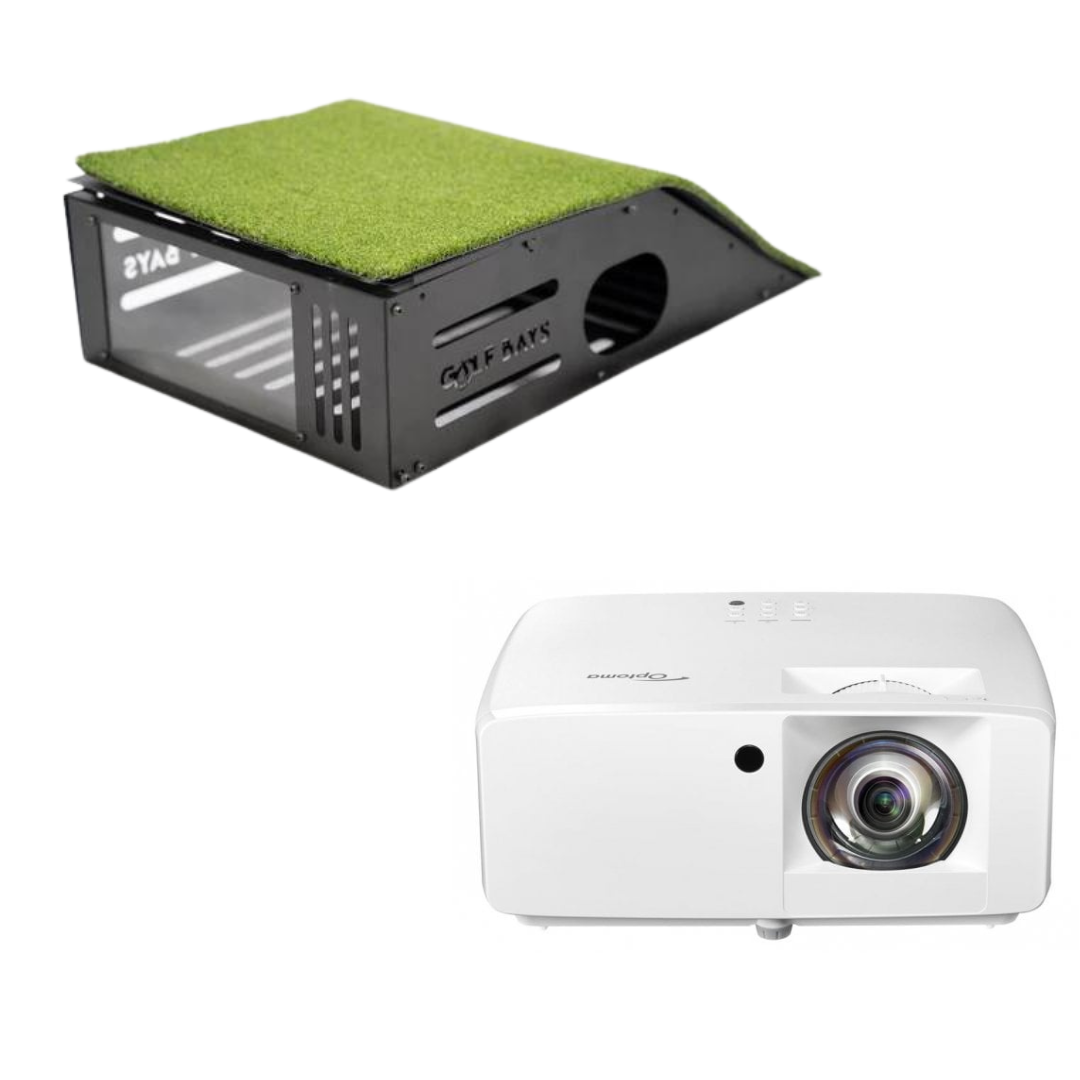
Optoma ZH350ST 短焦投影仪 + 落地安装套装 高尔夫模拟器投影仪
GolfBays 模块化高尔夫推杆果岭
GolfBays 模块化高尔夫推杆果岭

清仓

GolfBays QuadPRO 高尔夫模拟器击球幕布
关于

关于

  • 博客
  • 团队介绍
  • 屏幕常见问题与指南
  • 高尔夫模拟器指南
  • 室内高尔夫中心
  • 自定义模拟器设置
  • 公司租赁
  • PGA教学围栏
  • 高尔夫模拟器花园小屋
  • 标题 高尔夫模拟器房间:尺寸与空间指南
  • 英国高尔夫模拟器成本 2026
GolfBays
高尔夫模拟器

高尔夫模拟器

  • 高尔夫模拟器套装
  • 高端高尔夫模拟器套装
  • 平价高尔夫模拟器套装
  • 高尔夫模拟器围挡
  • 高尔夫击球屏幕
  • 车库高尔夫模拟器
  • 高尔夫小屋和花园房间
  • 高尔夫模拟器设计服务
  • 高尔夫模拟器配件和附加件
  • 高尔夫模拟器指南
  • 选购所有高尔夫模拟器

冲击筛网

  • 全部抗冲击屏幕
  • 最佳高尔夫击球网幕
  • preferred golf impact screens
  • txt 高尔夫击球网必备屏幕
  • 灰色 4K 击球屏幕
  • 弧形抗冲击屏幕
  • 可伸缩高尔夫击球幕布
  • Custom 高尔夫击球网
  • 高尔夫击球网常见问题
  • 查看所有 Impact 网屏

简体中文 高尔夫模拟器套餐

  • SkyTrak + 高尔夫模拟器套装
  • FlightScope 高尔夫模拟器套装
  • Foresight 高尔夫模拟器
  • Uneekor 高尔夫模拟器套装
  • Garmin 高尔夫模拟器套装
  • Square高尔夫模拟器套装
  • ProTee VX 高尔夫模拟器套装
  • Rapsodo 高尔夫模拟器套装
  • 查看全部高尔夫模拟器

畅销商品

SimBox 高尔夫模拟器围网 - 7种尺寸
SkyTrak ST MAX SimBox 家用高尔夫模拟器全套装(含1年SkyTrak Core软件)
GolfBays Pro+ 高尔夫模拟器击球屏
发射监测器

品牌

  • 所有启动监测器
  • Skytrak
  • FlightScope
  • Rapsodo
  • Uneekor
  • Garmin
  • ProTee
  • Trackman
  • Foresight Sports
  • Bushnell Golf
  • Idra
  • 全挥杆
  • GolfJoy
  • Optishot
  • Golfzon
  • Smart2Move
  • Voice Caddie
  • AboutGolf
  • TruGolf
  • 方形
  • Shot Scope
  • 选购所有品牌

高尔夫模拟器软件

  • 高尔夫模拟器软件
  • SkyTrak 模拟器软件套装
  • E6 Connect 软件
  • FlightScope 软件
  • GSPro 软件
  • 查看所有软件

热销商品

Skytrak+ 高尔夫击球监测器(含1年SkyTrak Core软件)
Uneekor Eye Mini Lite 发射监测器
Garmin Approach R50 高尔夫击球监测器和模拟器
Square Golf高尔夫击球监测器
Square Golf高尔夫击球监测器
ProTee VX 高尔夫击球监测器
ProTee VX 高尔夫击球监测器
golf-launch-monitors 高尔夫击球监测仪

高尔夫击球监测仪

所有主要品牌,满足每一项技术要求和预算。

高尔夫GPS
golf-gps-watches 高尔夫GPS手表

高尔夫GPS手表

高尔夫手表

  • Bushnell 高尔夫
  • Blue Tees Golf
  • Shot Scope
  • Skycaddie
  • 查看所有高尔夫手表

高尔夫手持式设备

  • Bushnell 高尔夫
  • Blue Tees Golf
  • Skycaddie
  • 选购全部高尔夫手持设备

高尔夫音箱

  • Bushnell 高尔夫
  • Blue Tees Golf
  • 简体中文

畅销商品

  • SkyCaddie PRO5X GPS
  • Blue Tees RINGER GPS 2.0
  • Shot Scope H50 GPS手持设备
测距仪
rangefinders 测距仪

测距仪

按品牌选购

  • Bushnell 高尔夫
  • Blue Tees
  • Flightscope
  • Shot Scope
  • Voice Caddie

测距仪类型

  • 坡度测距仪
  • 激光测距仪
  • title 混合测距仪
  • txt 选购所有测距仪

畅销商品

  • Blue Tees Captain Air 连接式测距仪
  • Shot Scope PRO LX 测距仪
  • FlightScope i4 智能 AI 高尔夫激光测距仪
配件
title

` 高尔夫击球垫

title

人工高尔夫草坪

title

高尔夫模拟器投影仪

title

高尔夫模拟器台式电脑和笔记本电脑

title

高尔夫模拟器软件

title

简体中文 高尔夫训练辅助器材

title

启动监测保护

title

高尔夫围网配件

title

简体中文 高尔夫吸音板

title

TrueStrike 高尔夫击球垫

title

高尔夫收纳

title

高尔夫旅行配件

title

高尔夫练习网

title

高尔夫 GPS

title

高尔夫挥杆相机

title

高尔夫推杆垫

促销
summer-sale 夏季促销

夏季促销

clearance GolfBays 促销

GolfBays 促销

超值优惠

SimBox 高尔夫模拟器围网 - 7种尺寸
GolfBays Pro+ 高尔夫模拟器击球屏
Skytrak+ 高尔夫击球监测器(含1年SkyTrak Core软件)
Optoma ZH350ST 短焦投影仪 + 落地安装套装 高尔夫模拟器投影仪
GolfBays 模块化高尔夫推杆果岭
GolfBays 模块化高尔夫推杆果岭

清仓

GolfBays QuadPRO 高尔夫模拟器击球幕布
关于

关于

  • 博客
  • 团队介绍
  • 屏幕常见问题与指南
  • 高尔夫模拟器指南
  • 室内高尔夫中心
  • 自定义模拟器设置
  • 公司租赁
  • PGA教学围栏
  • 高尔夫模拟器花园小屋
  • 标题 高尔夫模拟器房间:尺寸与空间指南
  • 英国高尔夫模拟器成本 2026
免费次日送达
找到最适合你的匹配
Trustpilot 评分为“优秀”
最低价保证

Setting Up Your Golf Simulator PC

A step-by-step guide to configuring and connecting your new PC — keep this handy while you set up.

1. Your PC Spec

ComponentHD Spec4K Spec
CPUIntel Core i7-12700KFIntel Core i7-12700KF
GPURTX 5060 Ti 8GBRTX 5070 Ti
RAM16GB high-speed32GB high-speed
Storage1TB SSD1TB SSD
OSWindows 11 (64-bit)Windows 11 (64-bit)

The HD spec comfortably runs most simulator software at 1080p; the 4K spec suits a 4K projector/TV or maxed-out graphics settings. Both use Intel + Nvidia throughout, matching what every software platform below expects.

2. Initial Windows Setup

  1. Install Windows 11 and run all Windows Updates before installing anything else.
  2. Install the latest GPU driver directly from NVIDIA's site (not just what Windows Update offers).
  3. Set Windows power plan to High Performance (Control Panel → Power Options).
  4. Disable Windows sleep/screen-timeout during simulator sessions (Settings → System → Power).
  5. Turn off unnecessary startup apps (Task Manager → Startup) to keep resources free.

3. Connect the Launch Monitor

  • CAT 6 Ethernet-wired: Some monitors (e.g. Uneekor, ProTee VX) connect via a CAT 6 cable for the lowest latency — plug it directly into the PC's Ethernet port, then install the manufacturer's software first.
  • Wi-Fi: Some units (like SkyTrak) create their own network or join your home Wi-Fi. Keep the PC and monitor on the same network, and check Windows Firewall isn't blocking the connection.

Install the manufacturer's companion app first — it usually has its own calibration and connection test tool, the easiest way to confirm the PC "sees" the device before opening the simulator software.

4. Install Your Simulator Software

Tap a software title below for its setup steps and support links.

E6 Connect (by TruGolf)

  1. Check compatibility. Uneekor, Flightscope, Garmin, NVISAGE and TruGolf units buy direct from TruGolf; SkyTrak and Foresight customers buy through those companies' own stores instead.
  2. Purchase and download the correct license variant on trugolf.com. An activation code is emailed within two business days.
  3. Install as Administrator, into the default folder — changing the install path can break monitor integration.
  4. Activate with the code on first launch (needs internet).
  5. Connect the launch monitor from the main menu's device/connect screen.
  6. Download a course and test with a few shots before calling it done.
  7. Clubhouse (optional) manages events/content across bays for multi-bay B2B setups.
  • Official site: trugolf.com/e6-connect
  • Support: use the Customer Support Portal link on the TruGolf site

GSPro

  1. Check compatibility — officially supported with Flightscope Mevo+ and Uneekor; others connect via GSPro's Open API.
  2. Buy a subscription (~$250/yr); add the Lifetime Add-On to keep access if it later lapses.
  3. Download and install from gsprogolf.com — needs a stable connection throughout, as it streams courses.
  4. Activate by logging in with the purchase account.
  5. Connect the launch monitor via Settings → Game → System → GSPro Connect. Some brands (e.g. ProTee) need a separate connector app running alongside.
  6. Pick a course from 500+ community-built options and test.
  7. Stutter? Drop shadow quality/course detail in video settings first.
  • Official site: gsprogolf.com
  • Manuals: gspro.document360.io

SkyTrak Golf

  1. Download the app from skytrakgolf.com/pages/downloads.
  2. Create/log in to a SkyTrak/SkyGolf account.
  3. Register the device via profile → About → Register.
  4. Pair it — start on Direct Mode to confirm it works, then switch to Network Mode for regular use.
  5. Position the unit level with the hitting surface; align the ball on the projected red dot.
  6. Select a plan — Basic is free (driving range only); paid tiers unlock full course play and E6/GSPro integration.
  7. Test in Practice mode before a full round.
  • Downloads: skytrakgolf.com/pages/downloads
  • Support: support.skytrakgolf.com

Flightscope Golf (FS Golf / Mevo+)

  1. Download FS Golf for PC/iOS/Android from flightscope.com.
  2. Create/log in to a FlightScope Cloud account.
  3. Set the radar type under Settings → Radar Settings → Radar Type.
  4. Power on and connect — hold power until double-beep, then connect from the app's home screen.
  5. Choose your simulator software — bundled E6 Connect course license included; GSPro, Creative Golf 3D and Awesome Golf integrate separately.
  6. Add-ons: Pro Package and Face Impact Location activate with their own codes in FS Golf.
  • Official site: flightscope.com
  • FAQ: flightscope.com/faqs

Trackman Performance Studio & Virtual Golf

  1. No separate purchase — TPS ships pre-installed and pre-integrated with the unit.
  2. Sign in with the Trackman account tied to the unit.
  3. Set up your bag via Map My Bag in the Trackman Golf app, synced into TPS.
  4. Practice tools: Performance Center, Target Practice, On-Course Practice, Test Center/Combine.
  5. Virtual Golf: pick Courses from the Entertainment tile for the course library and games.
  6. Multi-display setups are configured from the admin/Settings area.
  • Overview: trackman.com/blog
  • Support: support.trackmangolf.com

Foresight FSX Play

  1. Check specs: 64-bit Windows, 7th-gen+ Intel, Nvidia GTX 1060/RTX 2060 minimum — both PC specs clear this easily.
  2. Download from support.foresightsports.com → Software → FSX Play.
  3. Install/update — the same page covers updates and failed-update recovery.
  4. Sign in with the FSX Live account and enter any activation code.
  5. Connect the device via Player Dashboard → Devices → Search.
  6. Swing camera (optional): enable under Settings → Swing Camera.
  7. Set up players and round, then start.
  • Install guide: help.foresightsports.com
  • User manual: support.foresightsports.com

Foresight FSX Pro

  1. Prerequisite license: needs an active FSX 2018/2020 license and FSX Live account — FSX Pro itself is a free download on top.
  2. Check specs: Windows 10+ 64-bit, Intel i5/i7/i9, 8GB+ RAM, Nvidia GTX 1050 Ti+.
  3. Download and install from the FSX Pro Studio page.
  4. Sign in with FSX Live credentials tied to the FSX 2020 license.
  5. Connect the launch monitor the same way as FSX Play.
  6. Use Performance Analysis for fitting/coaching tools.
  • Install guide: support.foresightsports.com
  • User manual: support.foresightsports.com

Uneekor (Refine / Refine+ / Ignite)

  1. Identify the exact unit (EYE XO, EYE XO2, QED) — installers and guides are model-specific.
  2. Download the right software: the base installer, plus Refine/Refine+ if purchased.
  3. Install in order — base software first, then Refine/Refine+.
  4. Network setup: follow the unit's Network Setup Guide — Ethernet, not Wi-Fi, for lowest latency.
  5. Firewall/antivirus: check the dedicated guides if the connection drops — third-party antivirus is the usual culprit.
  6. Calibrate using the model-specific Calibration Guide before trusting shot data.
  7. Club stickers, if applicable, per the install video.
  • Manuals & installers: uneekor.com/support

Uneekor Gameday

  1. Subscribe: from $199/yr standalone, or bundled in the $599/yr Ultimate Package.
  2. Install alongside existing software — reuses the base unit's connection, no re-pairing needed.
  3. Two displays required — flag this before a customer buys if they run a single screen.
  4. Choose a mode: Round Play, or multiplayer Scramble/Foursome/Four Ball, plus Mini Games.
  5. On-Course Practice to drop a ball anywhere and rehearse shots.
  • Official page: uneekor.com/gameday
  • Support: uneekor.com/support

Square Golf

  1. No dedicated PC needed for basic use — Square's own app runs built-in courses directly.
  2. Install the app from the App Store, Google Play, or Square's PC download.
  3. Pair via Bluetooth — flashing blue light, then select Square Golf in-app. A USB Bluetooth adapter fixes PCs with no built-in Bluetooth.
  4. Positioning: flat ground, 42cm in front and 23cm to the side of the hitting zone, facing the golfer directly.
  5. Credits, not subscription — 1,000 credits included (~55+ rounds), pay per hole beyond that.
  6. Third-party software (E6 Connect, GSPro, Awesome Golf, PinSeeker) connects via that platform's own menu.
  • System requirements: playbetter.com
  • Support: squaregolf.co.uk/support (Zendesk: squaregolf.zendesk.com)

ProTee Labs (ProTee VX)

  1. Included, perpetual license — no extra subscription for the native ProTee Labs app.
  2. Mount and cable the unit — ceiling-mounted; connect power and Ethernet before software setup.
  3. Install ProTee Labs and let it detect the unit over the network.
  4. Third-party course software (optional) — for GSPro, run the GSPro License Conversion Tool, clear/restart the ProTee Connector, then reset GSPro Connect and select ProTee United VX.
  5. Left/right-handed setup — camera exposure settings may need adjusting when offsetting for a left-hander.
  6. Lock down Windows Updates once calibrated, to avoid a driver update breaking a working setup.
  • Support portal: csc.protee-united.com

5. Set Up the Display

  • Projector: match native resolution in Windows Display Settings (commonly 1920x1080). Set it as primary display if running multiple screens.
  • TV/Monitor: same principle — match native resolution and refresh rate.
  • For a second screen (scoring/stats), use "Extend" rather than "Duplicate" displays, and confirm in the software's settings which monitor it renders on.

6. Cabling

The projector's HDMI cable must go into the graphics card, not the motherboard. GPU outputs sit lower on the back of the case; motherboard outputs sit higher on the I/O panel. Only the GPU outputs are driven by the RTX 5060 Ti/5070 Ti — plugging into the motherboard shows nothing, or falls back to weak integrated graphics.
Extra screens need DisplayPort-to-HDMI adapters. These GPUs ship with one HDMI output plus several DisplayPort outputs. The main projector usually takes the HDMI port directly; any additional screen needs a DisplayPort-to-HDMI adapter or cable, since most monitors/projectors are HDMI-only.
  • Keep the PC away from ball-strike zones and dust — a cabinet or shelf to the side works well.
  • Use wired Ethernet for the PC itself where possible, rather than Wi-Fi.
  • Label or colour-code cables — power, USB/CAT6 to the launch monitor, HDMI to the projector, DisplayPort to any second screen.
  • Route the launch monitor's data cable separately from power cables to reduce interference, especially for camera-based units like Uneekor and ProTee.

7. Test and Calibrate

  1. Run a few practice swings and check ball speed, launch angle and spin look sensible for the club used.
  2. Check the in-software FPS counter — if it's stuttering, lower shadow/course detail settings before assuming a hardware problem.
  3. Confirm audio (impact sound, ambience) is coming through the correct output device.
  4. Do a full mock round to catch freezes, disconnects or driver crashes before first live use.

8. Ongoing Maintenance

  • Keep GPU drivers and simulator software updated — updates often include performance fixes and new courses.
  • Restart the PC periodically; long uptimes on a Windows gaming PC can lead to driver instability.
  • Keep a restore point or backup image once the setup is confirmed working, so a bad update can be rolled back quickly.
Software names and requirements above are illustrative — always check the current specs page for your specific software and launch monitor, since requirements change with updates.

您的购物袋是空的

浏览分类

GolfBays
模拟器外壳

我们行业领先的防撞网已被顶尖人士反复试用和验证,快在下方看看吧。

高尔夫模拟器套装
高尔夫模拟器套装

带围挡、发射监测器和垫子的定制套装。

Golf Impact Screens
高尔夫击球屏幕

PGA 认证的屏幕,提供卓越的耐用性和清晰的图像显示

GolfBays
发射监测器

所有主要品牌均可满足每一项技术要求和预算。

Golf Mats
高尔夫垫

适用于家庭练习和商业教学场所的专业级垫子。

Golf Accessories
高尔夫配件

用于完善您的模拟器设置的存储方案和必备配件。

没有结果

尝试另一个关键词

Search for brands, model, category and more...

Loading...

GolfBays

Need Assistance?

我们随时为您提供帮助!请选择下方的一个选项。

联系我们 预约咨询

关于 Golfbays

在 GolfBays,我们帮助高尔夫爱好者打造理想的模拟器配置。独立专家建议、专业级产品,以及全球最好的客户服务(根据我们的市场团队所说)。

增值税号:351310545
公司编号:12623455

快速链接

  • 关于我们
  • 联系我们
  • 退换货
  • 开设交易账户
  • Become an Affiliate
  • 常见问题
  • 网站地图

客户服务

  • 屏幕常见问题与指南
  • 安装指南
  • 安装视频
  • GolfBays 室内中心
  • Golf Simulator PC Set Up

关注我们

  • Instagram
  • Facebook
  • YouTube

联系方式

地址: Golfbays, Bellsingel 20, 1119 NV Schiphol-Rijk ,荷兰

电话: +31 20 225 4812

销售咨询: sales@golfbays.com

支持: customersupport@golfbays.com

|

© 2026 GolfBays。| 保留所有权利。